
Authorise the dispense
The terminal checks the approved identification and captures the information requested for the transaction.
Connected reporting
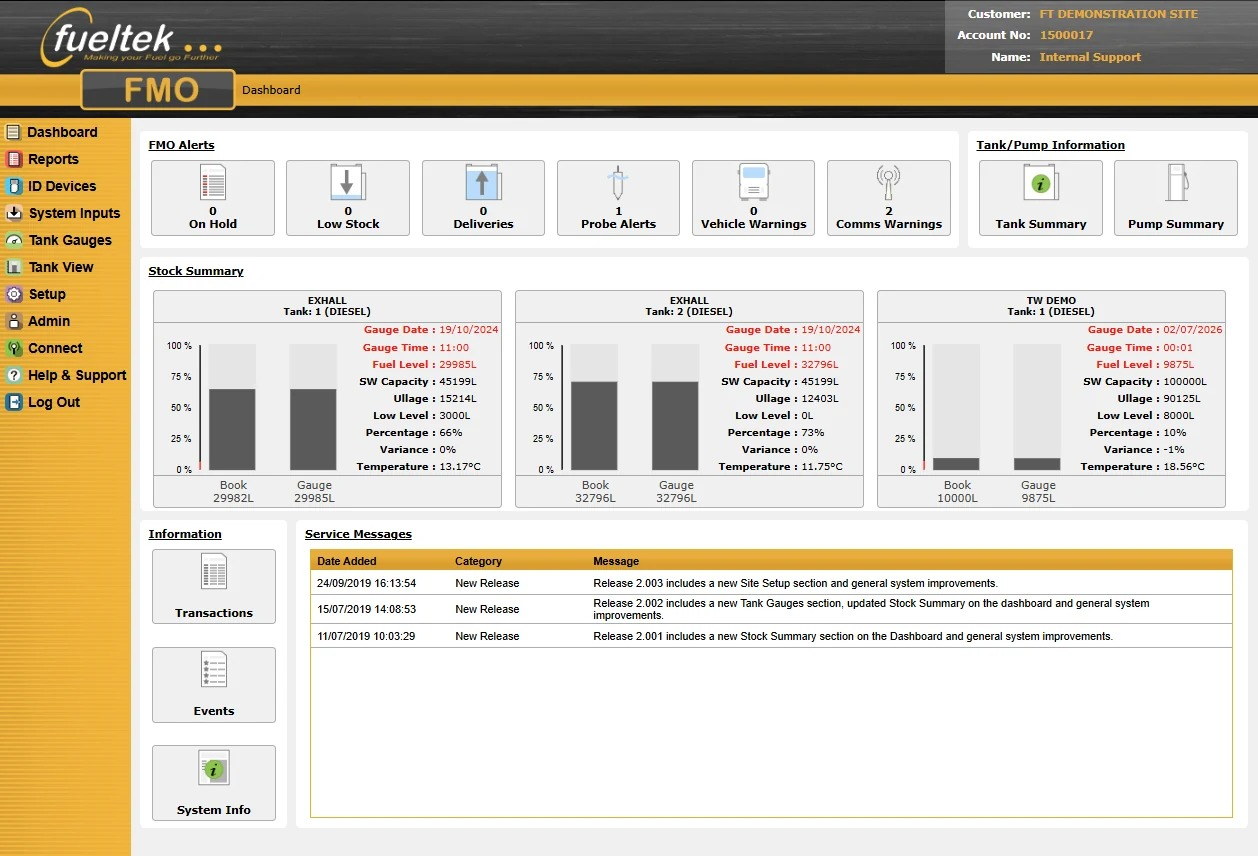
Fuel Manager Online (FMO) connects the information recorded at Fueltek fuel access terminals with a browser-based environment for authorised users.
It gives fleet, depot and site teams a clearer route from each fuel transaction to reporting, stock review and day-to-day administration.
How the information moves
FMO is designed to work with Fueltek Fuel Access Control Terminals at the fuelling location.
The terminal checks the approved identification and captures the information requested for the transaction.
The fuelling record is retained by the onsite control equipment and transferred through the configured communications route.
Authorised users can review transactions, stock information and operational reports through the browser-based service.
Operational visibility
Review fuel issues by the identifiers and fields configured for the site, such as user, vehicle, asset, time, quantity or location.
Bring dispensing records and relevant tank information into the same reporting process to support stock review and reconciliation.
Authorised administrators can maintain the users, vehicles and data tags used by the connected Fueltek system.
Where a connected multi-depot configuration is specified, teams can review separate sites through one reporting environment.
What to define
Connected Fueltek pages
Communications, permissions, data fields and reporting configuration are confirmed against the actual site and operating requirement.
Questions to settle
FMO is a browser-based service. The exact access, hosting and communications arrangement is confirmed for the proposed Fueltek system.
FMO supports connected multi-site operation when the terminals, communications and account structure are configured for that requirement.
The configured record can include the site, pump, user, vehicle or asset, fuel quantity, time and relevant readings or references. Fueltek confirms the fields needed for the individual operation.
Next step
Bring Fueltek the current fuelling process, the reports already used and the exceptions that take too long to investigate. That evidence provides a better starting point than choosing software features in isolation.